Laptops · Oct 15, 2026
Best Laptops for College Students (2026)
5 top-rated laptops for classes, notes and all-day campus use — Windows, Mac and Chromebook options.
As an Amazon Associate we earn from qualifying purchases · prices update daily, may change · affiliate links
A laptop's battery claim and its real battery life can be very far apart. In PCWorld's tests the Acer Swift 16 AI ran about 17.5 hours, while the Surface Pro falls to about 2 hours at full brightness under heavy use. Knowing how you will use it matters more than any number on the box.
Black Friday is Nov 27, so it is worth watching prices. They change often, so check the current price on Amazon before you buy.
💻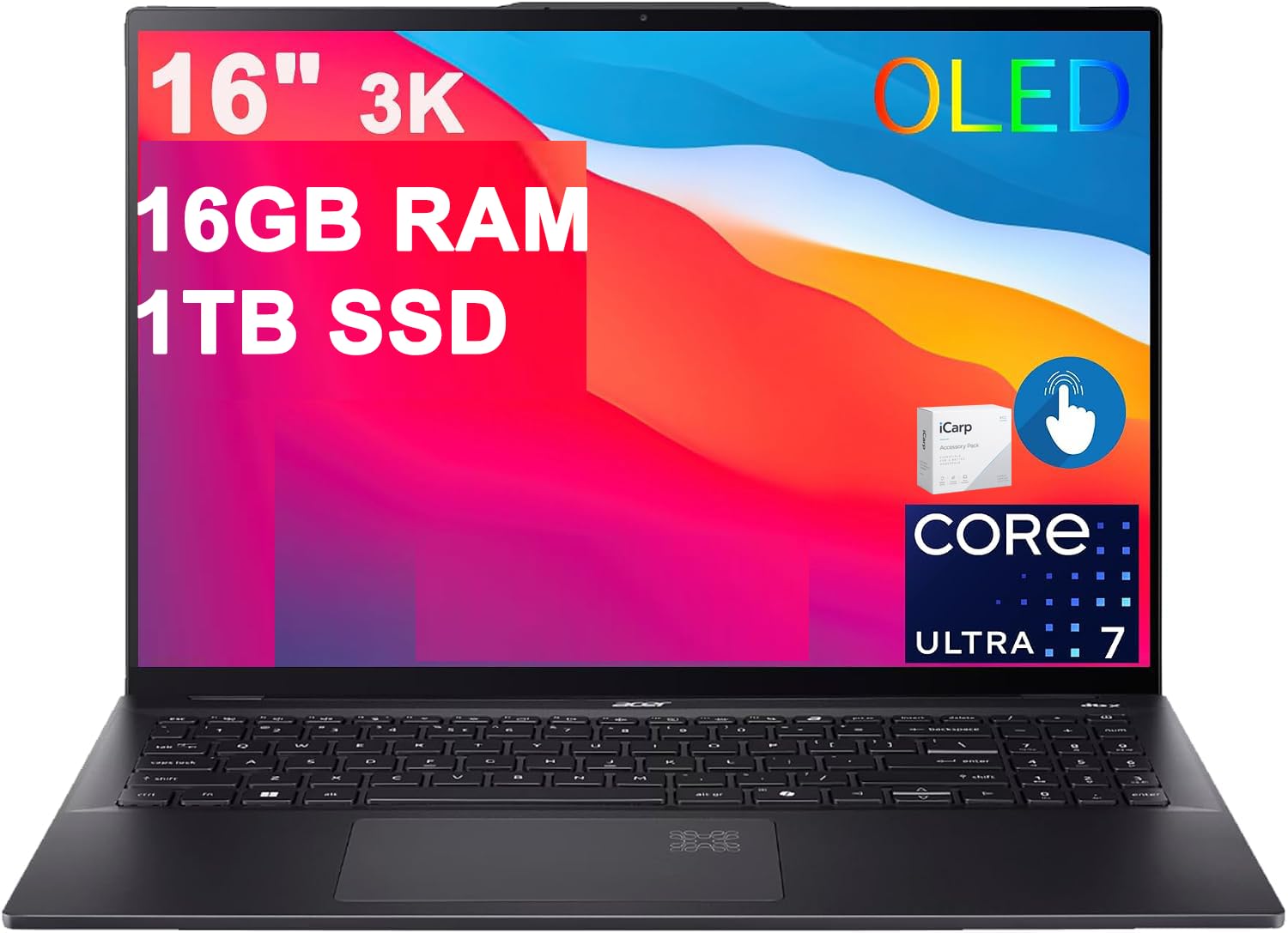
#1 · Best OverallAcer Swift 16 AI (Lunar Lake)
★★★★★5(7)
Students who want a big, sharp screen without a heavy bag.
Buy on Amazon ↗ A 16-inch Windows laptop with a 2880×1800 OLED screen, an Intel Core Ultra 7 256V chip, 16GB of RAM and a 1TB SSD. It weighs 3.37 lb, which is light for a screen this size.
Why buy it: Picture a full day of lectures: notes, a research paper and a video, all on a 16-inch OLED screen, with a bag that does not feel heavy at 3.37 lb. PCWorld measured about 17.5 hours of battery, so a day of classes should not need a plug. It is the only 16-inch laptop in this guide, which is why it is our Best Overall pick. The catch: its AI features feel underdeveloped and a few keyboard keys are cramped.
Pros, cons & who should skip it
Pros- Light for a 16-inch laptop
- Sharp, bright OLED screen
- Comfortable keyboard
- Lasts a full day of classes
Cons- AI features feel underdeveloped
- A few keyboard keys are cramped
- Lots of preinstalled apps
Skip it if: You want a laptop mainly for its AI features, because they feel underdeveloped
💻
#2 · Best BudgetApple MacBook Neo
★★★★★4.6(1,579)
Students who want a Mac for everyday coursework.
Buy on Amazon ↗ A 13-inch MacBook with an Apple A18 Pro chip, 8GB of RAM and a 256GB SSD in an aluminum body. It has a 2408×1506 Liquid Retina display and weighs 2.7 lb.
Why buy it: Picture papers, web research and notes handled by a sturdy 2.7 lb aluminum MacBook. PCWorld found it feels premium for its price class, and over 1,500 Amazon buyers rate it 4.6. It is the only Mac here, so it is the pick if you want macOS. The catch: 8GB of RAM and 256GB of storage, slower multi-core speed, and Touch ID only on the higher-priced model.
Pros, cons & who should skip it
Pros- Sturdy aluminum build
- Very good single-core speed
- Good-looking display
- Feels premium for the price class
Cons- The two USB-C ports differ in speed
- Multi-core performance lags
- No P3 wide-color support
- Touch ID only on the higher-priced model
Skip it if: You edit video or run other heavy multi-core work, because multi-core performance lags
💻
#3 · Best ChromebookAsus Chromebook Plus CX34
★★★★★4.2(13)
Web and Google-based coursework.
Buy on Amazon ↗ A 14-inch ChromeOS laptop with a 1080p touchscreen, 8GB of RAM and 128GB of storage. PCWorld tested it with a Core i5-1335U. It weighs 3.17 lb and has a 1080p webcam.
Why buy it: Picture classes that live in a browser: Google Docs, web research and video calls. It is snappy for everyday tasks, with a nice keyboard, plenty of ports and a 1080p webcam, which is why it is our Best Chromebook. It is the pick if ChromeOS is all you need. The catch: it runs ChromeOS only, and about 13 hours of battery is not class-leading. Amazon listings vary, so check the exact processor before you buy.
Pros, cons & who should skip it
Pros- Snappy for everyday tasks
- Nice keyboard
- Plenty of ports
- 1080p webcam for video calls
Cons- Battery life isn't class-leading
- 16:9 screen feels a bit cramped
- ChromeOS only
Skip it if: Your classes need Windows or Mac-only software, because it runs ChromeOS only
💻
#4 · Lightest / 2-in-1Microsoft Surface Pro
★★★★★4.2(130)
Note-taking on the go and carrying it everywhere.
Buy on Amazon ↗ A 12-inch Windows 2-in-1 with a Snapdragon X Plus chip, a 2196×1464 screen and 16GB of RAM. PCWorld reviewed the 512GB SSD version. It weighs 1.51 lb and has all Copilot+ PC features.
Why buy it: Picture taking notes in a lecture, then slipping the whole device into a bag you barely feel: at 1.51 lb it is the lightest pick here. PCWorld found good office performance and up to about 19 hours of battery in light use, plus all Copilot+ PC features. The catch: a narrow screen, no HDR, a charger that is not included, and only about 2 hours of battery at full brightness under heavy use.
Pros, cons & who should skip it
Pros- Extremely light and compact
- Good office performance
- All Copilot+ PC features
- Solid battery in light use
Cons- Narrow screen to work on
- No HDR
- Charger not included
- Only ~2h at full brightness under heavy use
Skip it if: You work for hours at full brightness or want a wide screen, because battery drops to about 2 hours under heavy use
Picks come from PCWorld's hands-on laptop testing (updated Oct 2026). Specs and battery figures are for the configuration they tested; Amazon listings can differ, so check the exact configuration before buying. We don't show prices because they change daily. We covered the main student needs: all-day battery, low weight, and a choice of Windows, macOS or ChromeOS. Assumptions: no budget or operating system was specified, so the list spans all three.