Accessories · Nov 1, 2026
Top Mechanical Keyboards for Typing & Gaming (2026)
The Keychron V1 Ultra 8K is our top pick for most people, with the Keychron V1 8K for value and the Lemokey X1 for tight budgets.
As an Amazon Associate we earn from qualifying purchases · prices update daily, may change · affiliate links
🖱️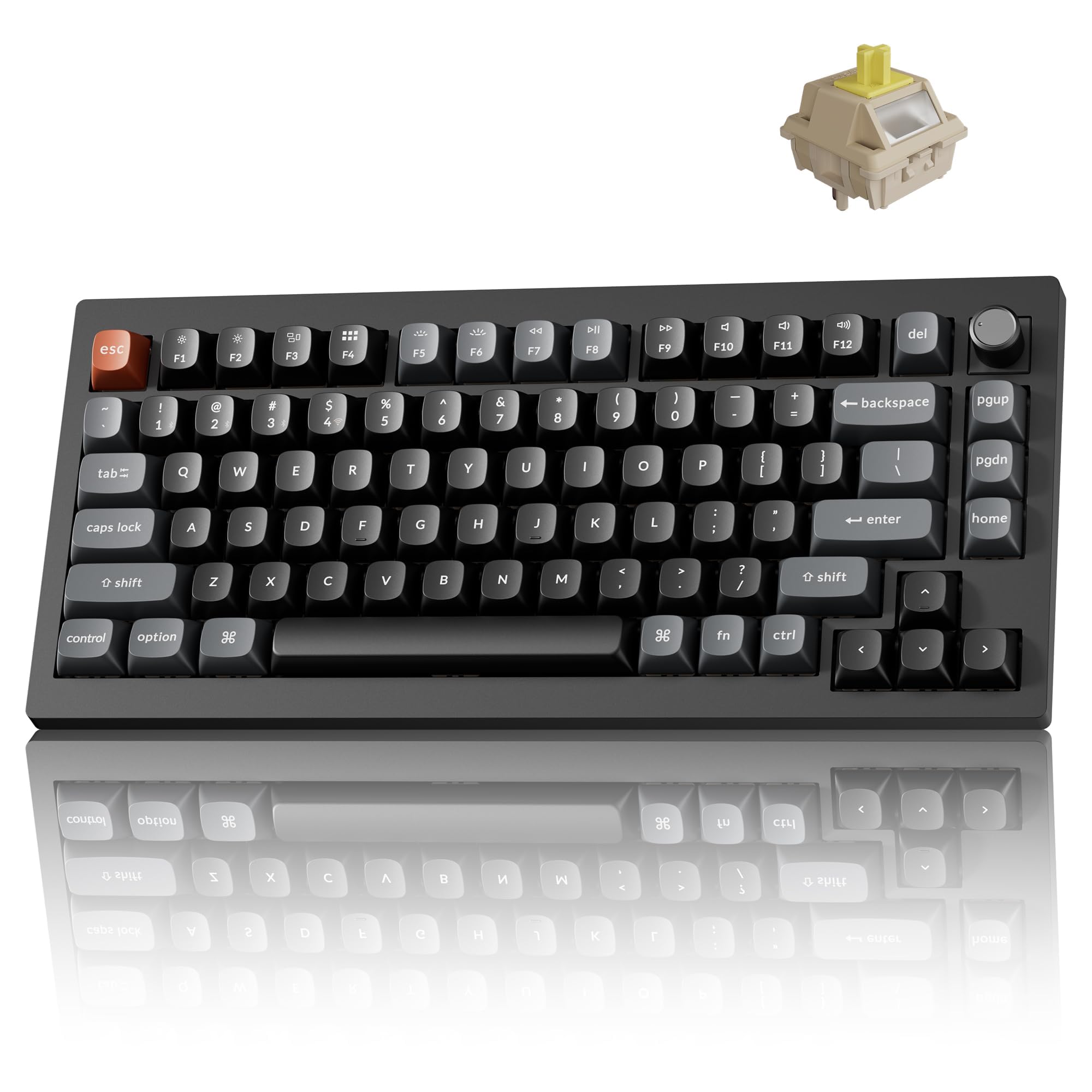
Best overallKeychron V1 Ultra 8K
★★★★★5(11)
Most people who want one board for typing, work and gaming
Buy on Amazon ↗ Pros, cons & who should skip it
Tom's Guide's best mechanical keyboard for most people. It combines 8,000Hz wireless polling, a hot-swappable board, a gasket mount and double-shot PBT keycaps, and the reviewer typed 94 words per minute at 92% accuracy on it.
Pros- Great typing sound and feel
- Excellent gaming performance
- Long battery life
- Full key remapping
Cons- Some flex in the body
- Not available in the U.K.
- Banana switches are on the heavy side
Skip it if: You want a quiet or very light-touch board
🖱️
Best full-size (TechRadar's top pick)Keychron V6 Max
★★★★★4.3(198)
Typists and office users who want a full-size board with a number pad
Buy on Amazon ↗ Pros, cons & who should skip it
TechRadar's best keyboard overall. It is a full-size wired board that is hot-swappable, ships with pre-lubed Keychron K Pro switches in red, blue or brown, and has double-shot OSA PBT keycaps.
Pros- Comfortable typing experience
- Customizable and well built
- Works with Windows and macOS
- Includes tools in the box
Cons- Pricey compared with some rivals
- Heavy
- Not silent
Skip it if: You want a wireless board
🖱️
Best valueKeychron V1 8K
★★★★★4.8(10)
Shoppers who want near-flagship features without the flagship price
Buy on Amazon ↗ Pros, cons & who should skip it
Tom's Guide's best-value pick. It is a more affordable revamp of the base V1 that now adds 8,000Hz polling while keeping the price low, with a top-notch build and per-key and mix RGB lighting.
Pros- Premium features for the price
- Excellent for typing
- Web-based companion software
- Easy lighting control
Cons- Wired only
- Some flex in the body
Skip it if: You need a wireless board
🖱️
Pros, cons & who should skip it
Tom's Guide's best budget mechanical keyboard. The reviewer cites $36 and says you get more than you paid for, with a premium-feeling body, a 1,000Hz polling rate and tactile brown switches that are a joy to type on.
Pros- Great gaming and typing performance
- Premium-feeling build
- User-friendly software
- Very affordable
Cons- Cheap-feeling ABS keycaps
- Not hot-swappable
Skip it if: You want to change switches later
🖱️
Best for gamingRazer Huntsman V3 Pro
★★★★★4.2(288)
Competitive PC gamers who want every edge
Buy on Amazon ↗ Pros, cons & who should skip it
TechRadar's best gaming keyboard, built for speed: an 8,000Hz polling rate, Razer's Gen-2 analog optical switches and software features such as Snap Tap and Rapid Trigger Mode.
Pros- Very customizable
- Quick on-board adjustments
- Solid design and top performance
Cons- Expensive
- Weak magnet on the shallow wrist rest
- Slightly buggy software
Skip it if: You mostly type and want a simple, cheaper board
🖱️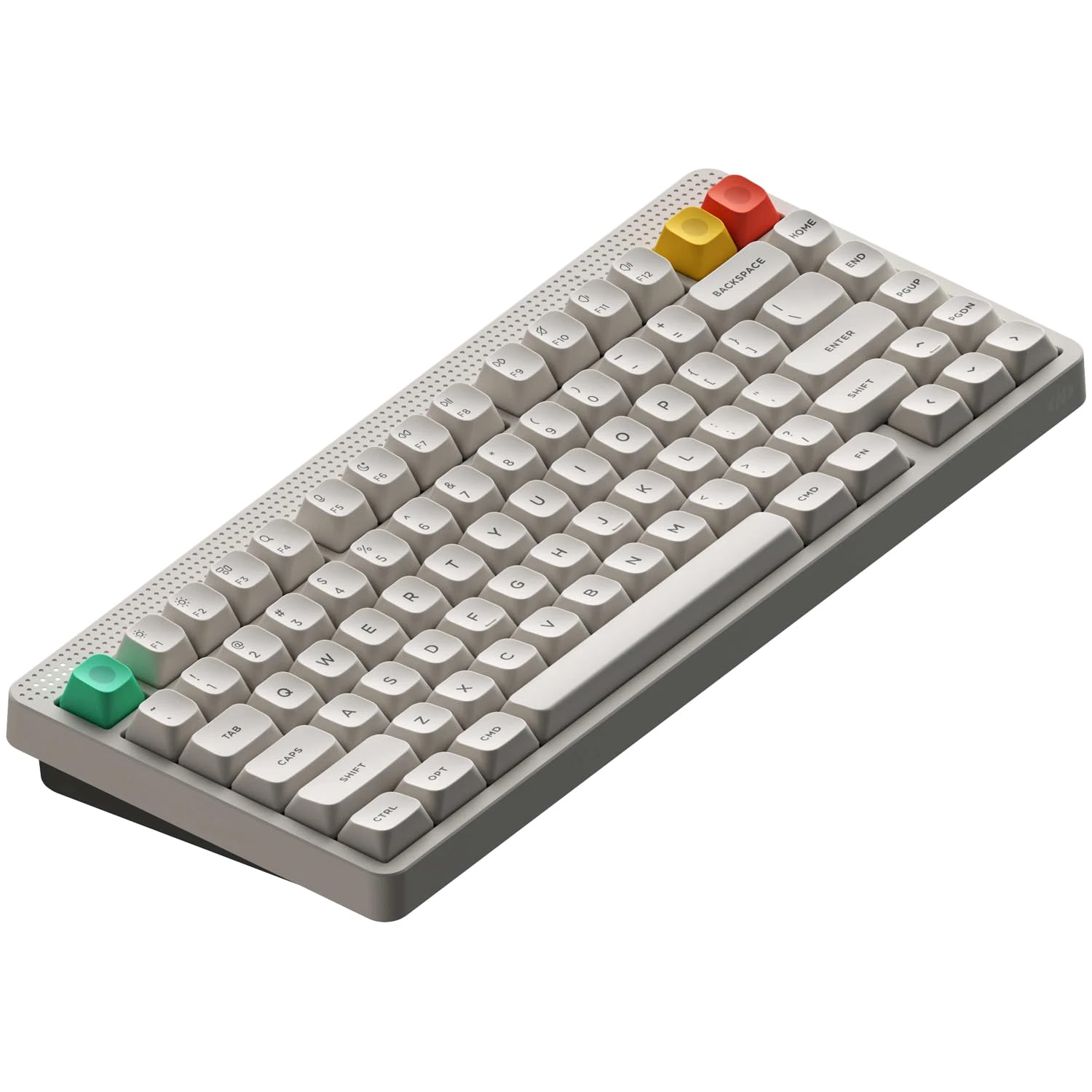
Best low profileNuPhy Node75
★★★★★4.5(57)
People who prefer a slim, low-profile keyboard
Buy on Amazon ↗ Pros, cons & who should skip it
Tom's Guide's best low-profile mechanical keyboard and a rare five-star review. The Gateron x NuPhy Nano switches and 3.5mm travel give a fast typing feel, and the gasket mount is comfortable.
Pros- Types very well
- Sounds pretty nice
- Very customizable
- Well-implemented touch bar
Cons- The gray color is a bit boring
Skip it if: You want the thocky sound of a tall board
🖱️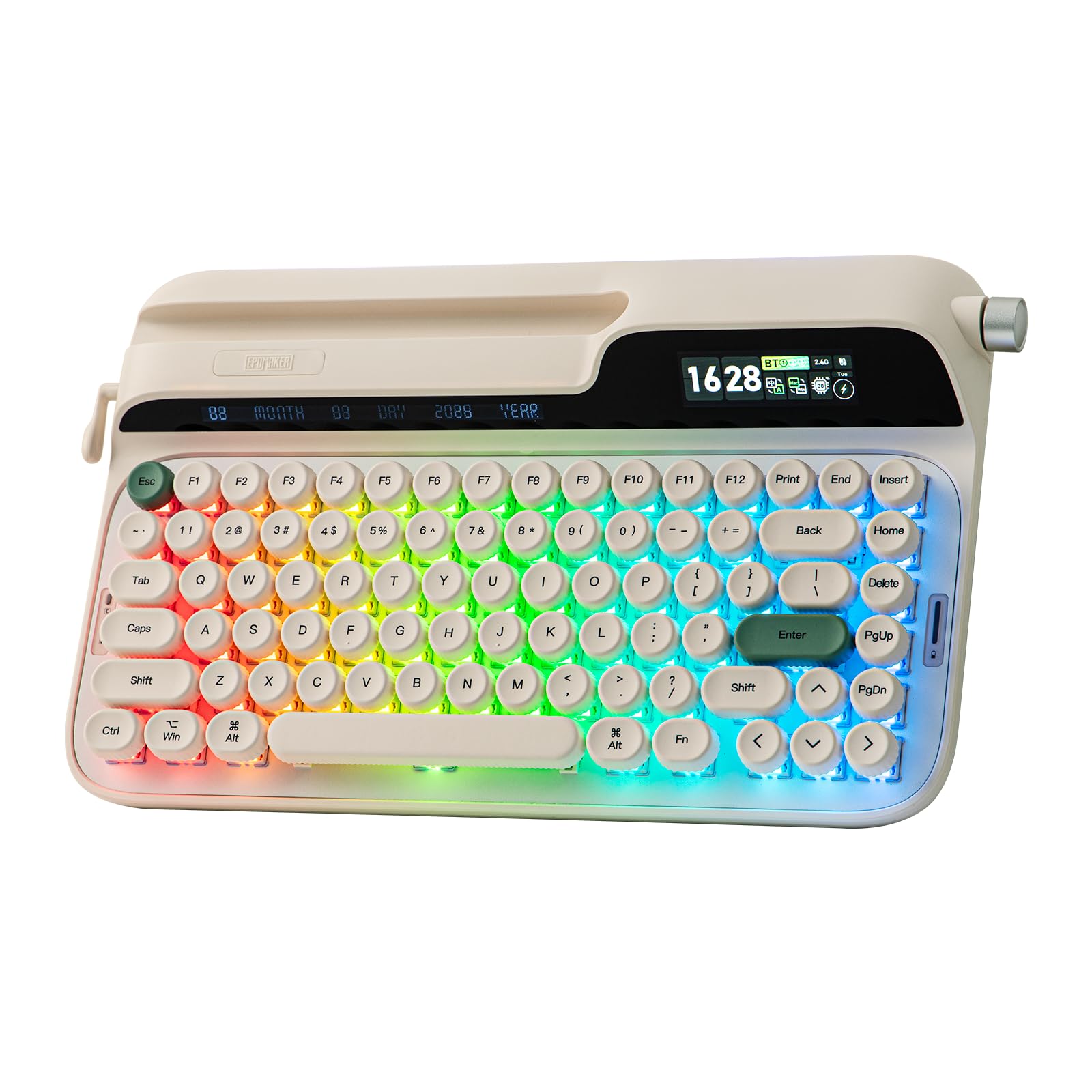
Best for typingEpomaker Glyph
★★★★★4.1(58)
People who type for a living
Buy on Amazon ↗ Pros, cons & who should skip it
Tom's Guide calls it perfect for people who type for a living. Pre-lubed Wisteria V2 linear switches give a smooth 38g actuation and 2mm pre-travel, and five layers of foam keep the sound muted.
Pros- Outstanding typing experience
- Lovely sound profile
- Solid build quality
Cons- Only one stock switch choice
- Screen and RGB eat into battery life
Skip it if: You want a plain, low-cost board
🖱️
Best MultideviceLogitech K380 Multi‑Device Bluetooth Keyboard
★★★★★4.7(7,138)
$40
at Logitech · Oct 19, 2026
Buy on Amazon ↗ Pros, cons & who should skip it
Best for: Users who juggle a laptop, phone, and tablet
The K380 is a compact, solidly built keyboard that pairs with up to three devices and lets you toggle between them effortlessly. It offers up to two years of battery life from two AAA batteries and is compatible with most Bluetooth‑enabled computers, tablets, and smartphones.
Pros- Multi‑device support
- Long battery life
- Compact size
- Affordable
Cons- Keys may feel cramped for large hands
- Caps Lock close to 'a' key
- Limited to Bluetooth
Skip it if: You need a wired or RGB keyboard
🖱️
Best OverallLogitech MX Keys S
★★★★★4.4(3,868)
Professionals seeking a quiet, comfortable full‑size keyboard
Buy on Amazon ↗ Pros, cons & who should skip it
The MX Keys S delivers soft yet engaging keystrokes with scooped keycaps that cradle fingertips, making it highly comfortable and quiet—ideal for collaborative spaces. Its slim design minimizes strain and it performs well in latency and responsiveness tests.
Pros- Comfortable typing
- Quiet keys
- Slim profile
- High performance
Cons- No backlighting
- Not gaming‑oriented
- Limited RGB
Skip it if: You need RGB or gaming features
🖱️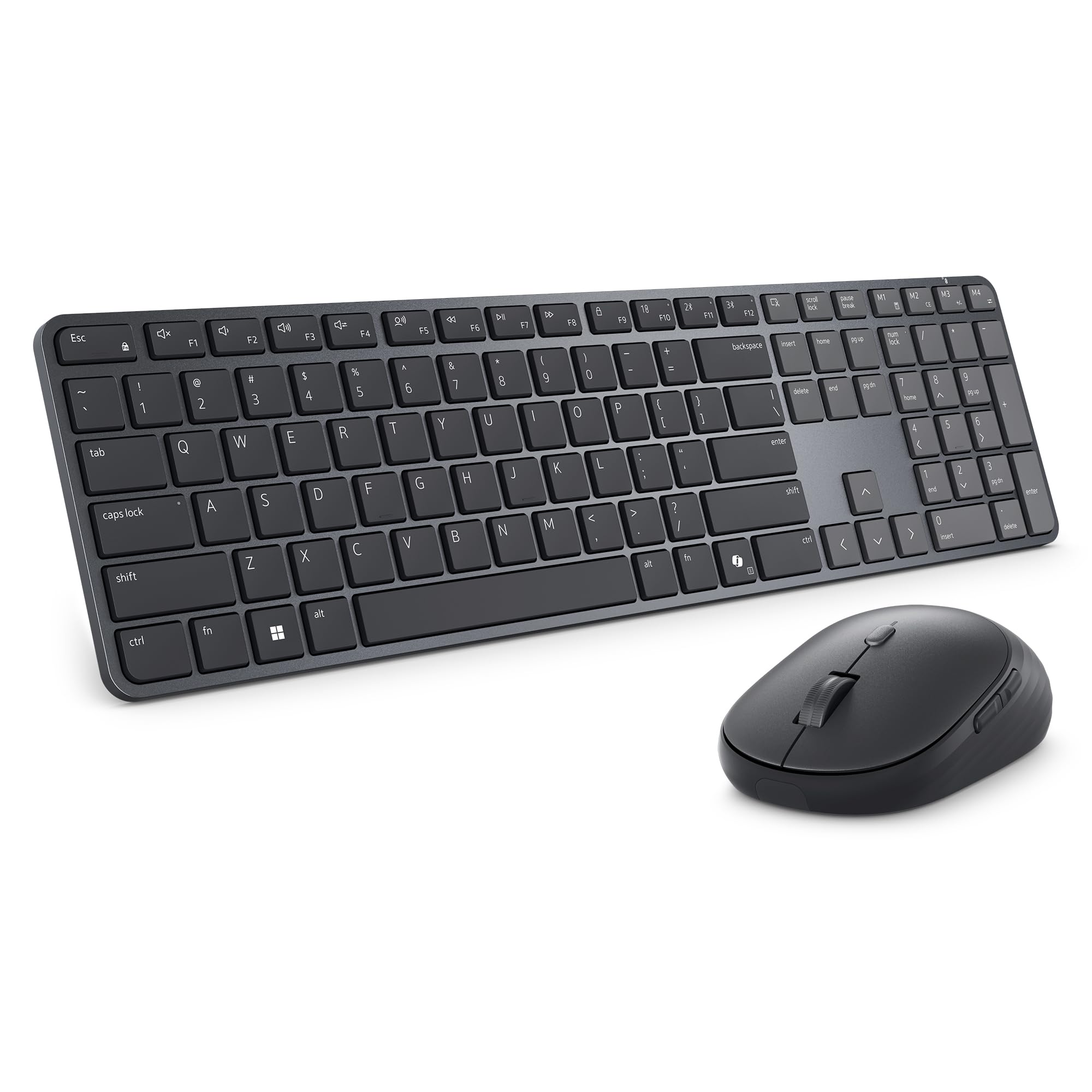
Best PortableDell Pro 7 Slim Keyboard and Mouse
★★★★★5(3)
Users who travel frequently and need a compact, quiet setup
Buy on Amazon ↗ Pros, cons & who should skip it
This minimalist combo features a low‑profile keyboard that’s easy to transport and offers quiet typing. It includes programmable keys and shortcuts, and claims extremely long battery life, though it lacks a curved ergonomic design and phone/tablet support.
Pros- Portable
- Quiet typing
- Programmable keys
- Long battery life
Cons- Not ergonomic
- Limited device support
- No backlighting
Skip it if: You need an ergonomic or multi‑device keyboard
🖱️
Popular ChoiceGboard
★★★★★3(14)
Users who want search from the keyboard
Buy on Amazon ↗ Gboard is a Google‑made iOS keyboard app that supports swipe typing and Google search integration. The source does not list any missing features.
Why buy it: Picture a traveler who wants quick web searches without leaving the chat. Gboard’s built‑in Google search lets them find info instantly. It is the only app in this guide that mentions integrated web search, giving it an edge over the others. The catch: the source provides no detail on any drawbacks.
Pros, cons & who should skip it
Bytesize Apps includes Gboard among the verified top iOS keyboards for 2026.
Pros- Swipe typing
- Google search integration
Cons- No specific drawbacks mentioned in sources
Skip it if: You prefer a non‑Google ecosystem
Amazon links for the picks below are being added
🖱️
Best GrammarGrammarly Keyboard
Users who need grammar help
Link coming soon Grammarly Keyboard is an iOS keyboard app that checks grammar and spelling in real time. It does not offer built‑in swipe typing.
Why buy it: Picture a student drafting essays on an iPhone who worries about mistakes. Grammarly highlights errors instantly, improving accuracy without leaving the keyboard. It wins over other picks by focusing on grammar correction, a capability the others don’t prioritize. The catch: it does not support swipe typing.
Pros, cons & who should skip it
MakeUseOf’s test found Grammarly Keyboard to be the best option for grammar and spelling.
Pros- Grammar focus
- Real‑time feedback
- Improves writing accuracy
Cons- No swipe typing
- May require subscription for full features
Skip it if: You prefer swipe‑type keyboards
🖱️
Most CustomizableFleksy Keyboard
Users who value customization and GIFs
Link coming soon Fleksy is an iOS keyboard app that emphasizes thumb‑typing, offers GIFs and many customization options. It does not provide gesture typing or predictive text.
Why buy it: Picture a teen who loves adding GIFs and customizing key layouts while texting. Fleksy lets them personalize the keyboard and insert GIFs quickly. It stands out because no other app in this guide offers a GIF keyboard or the same level of visual customization. The catch: it lacks gesture typing and predictive text.
Pros, cons & who should skip it
PCMag notes Fleksy’s beautiful thumb‑typing experience and high customizability.
Pros- Thumb‑typing focus
- GIF support
- Customizable
Cons- No gesture typing
- No predictive text
Skip it if: You need predictive or gesture typing
🖱️
AI PredictionMicrosoft SwiftKey
Users who like predictive AI
Link coming soon SwiftKey is an iOS keyboard app that uses AI to predict text and offers swipe typing. The source does not note any missing features.
Why buy it: Picture a busy professional who wants the keyboard to learn their typing habits and suggest words. SwiftKey’s AI prediction speeds up typing, and its swipe support adds flexibility. It is the only app in this guide highlighted for AI‑driven predictions, setting it apart. The catch: the source does not specify any cons.
Pros, cons & who should skip it
Bytesize Apps lists SwiftKey as one of the most useful custom keyboards for 2026.
Pros- AI‑driven predictions
- Swipe typing
Cons- No specific drawbacks listed in sources
Skip it if: You avoid AI‑based keyboards
Picks come from Tom's Guide (mechanical keyboard guide updated Aug 14, 2026, from its reviews team) and TechRadar's keyboard guide (updated Sep 24, 2026, where each board is used for at least a week). Both put a Keychron V-series board first and both include Epomaker boards, though different models. Assumptions: Prices change often, so we quote only what the sources show and tell you to check the current price. Tom's Guide's review text and its price box sometimes differ. The Razer Huntsman V3 Pro uses analog optical switches rather than classic mechanical ones, and Tom's Guide notes that magnetic (Hall effect) keyboards are generally better for competitive gaming. We left out TechRadar's Logitech Signature Slim K950 because it uses scissor switches.